Analysis of Clogging Causes for Dimatix StarFire 1024 Printhead
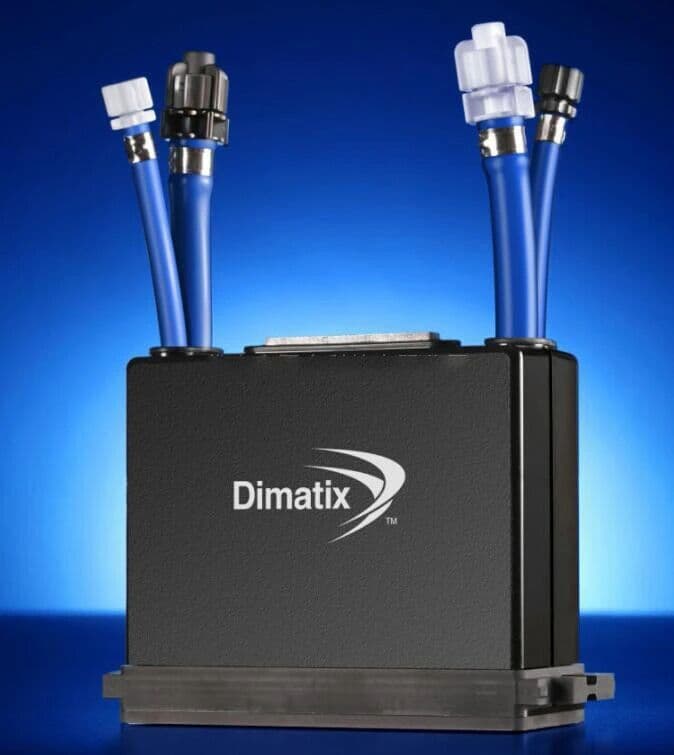
There are three areas in the Dimatix StarFire 1024 printhead that are prone to clogging:
the piezoelectric chamber channel, the internal filter screen of the printhead, and the nozzle plate.
- Piezoelectric Chamber Channel
The inner channel of the piezoelectric chamber is relatively narrow and non-smooth, making it easy for impurities to accumulate. There is a small hole on the integrated module made of carbon composite material, which serves as the ink inlet. After a right-angle turn, the ink flows out from the bottom of the integrated module.
This right angle zone creates a certain dead space for ink flow and is also a common clogging point. However, no adhered contaminants were found when this area was disassembled in this case, indicating that the integrated module made of carbon-resin polymer has excellent compatibility with solvent-based inks.
- Internal Filter Screen of the Printhead
Typically, each nozzle corresponds to about 30 filter holes. When one-third of the filter holes are blocked, ink dropout is likely to occur, accompanied by frequent skewed jetting and missing jets. Impurity clogging is common in printheads that have been in use for more than one year.
Partial clogging — a clogging rate higher than 20% — indicates the presence of a large amount of flocculants, which is a dangerous warning sign. An excessively high rate means an unstable ink system, usually caused by mixing two or more types of ink, or a reaction between the ink and components in the ink path. Most of these contaminants come from the ink, the ink supply system, and corrosion of adhesives inside the printhead. Clogging caused by low-quality ink accounts for the majority of cases.
All ink path components must be thoroughly cleaned before installation.
- Nozzle
After passing through the filter screen, the ink enters the ink downward channel of the printhead integrated module assembly.
The ink path for single-pass nozzles is straight through, meaning ink flows directly from top to bottom without bends to the nozzle. The dual-recirculation ink path consists of curved channels, including a gate-shaped main channel and multiple long auxiliary channels that recover recirculating ink from the periphery of each nozzle.
When clogging occurs to varying degrees in the three areas, only the internal filter screen can be resolved by replacement. The other two areas can be treated with cleaning solutions, but cannot be repaired if clogging is severe.
For printheads with a recirculation design, the recirculation channels are the most prone to clogging. Therefore, special attention must be paid to preventing external dust inhalation into these channels, as well as to the filtration configuration for these channels.
Main Causes of Filter Screen Clogging
1. Impure ink.
2. Mixing two or more inks from different manufacturers.
3. Poor compatibility between ink and ink path components.
4. Contaminated air entering due to poor external environment.
Therefore, priority should be given to identifying these causes to solve the clogging problem at the source.Frequently Asked Questions
Diagnosis takes 1-2 business days. Repair takes 3-5 business days. Total turnaround is typically 5-8 business days plus shipping.
No fix, no fee. If we cannot repair it, you pay nothing for the repair work. We can also offer a buyback price for the printhead.
Yes. We receive printheads from 40+ countries. We recommend DHL or FedEx for fastest, safest shipping.
We will first check your printhead condition before any repair.
Need a Printhead Repaired or Want to Sell?
✓ No fix, no charge · ✓ 30-day warranty · ✓ Reply within 24h